React and comment on Apple Shared Albums
WeFrames adds emoji reactions and threaded comments to the photos in your Apple Shared Albums. Everyone in the album can react and comment, without uploading photos anywhere or creating new accounts.
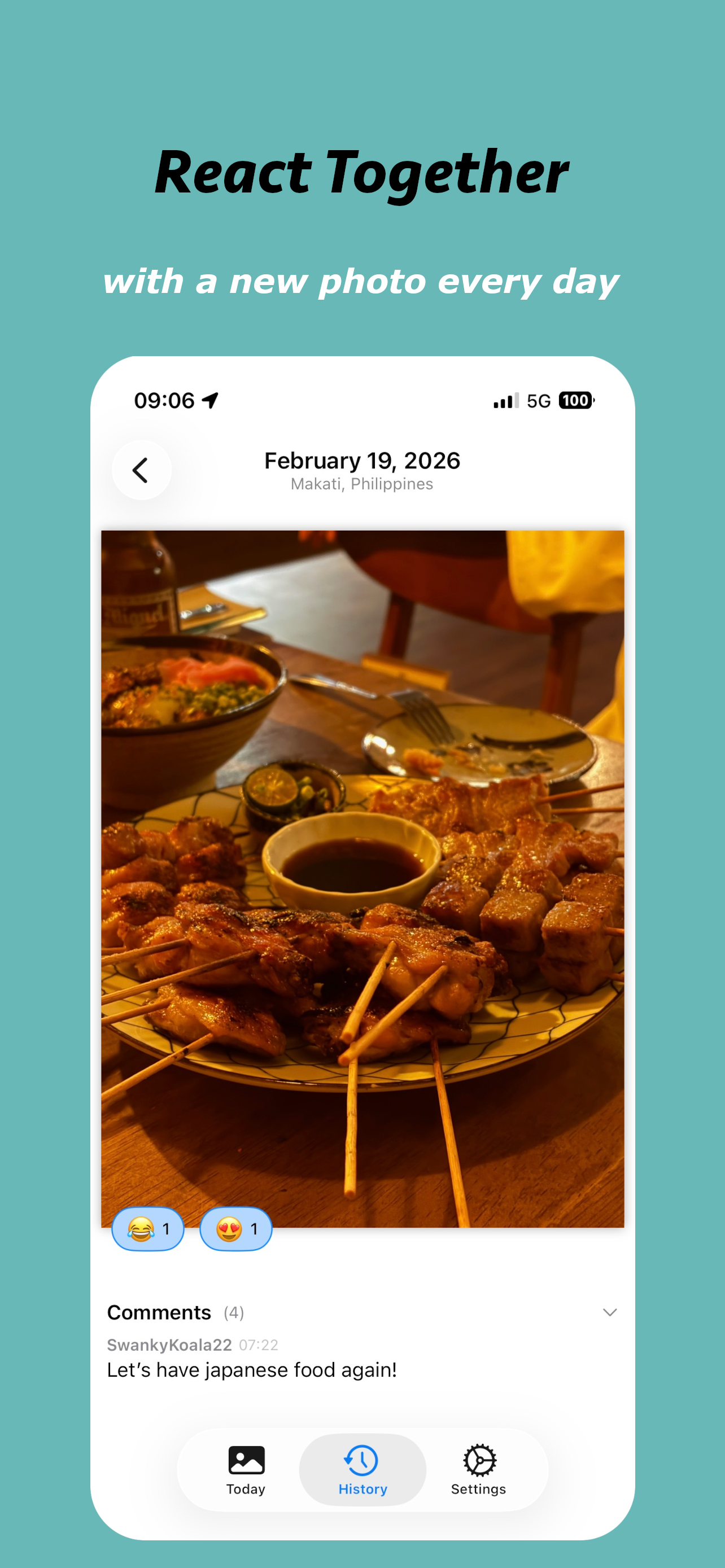
How shared album reactions work
When you open WeFrames, you see the daily photo from your selected iCloud Shared Album. Tap any emoji to add your reaction. Other album members see reactions in real time.
WeFrames supports multiple emoji reactions per photo. You can see exactly who reacted with what, making it easy for families and small groups to interact with shared memories.
Comment on family photos
Leave comments on shared album photos directly inside WeFrames. Comments are tied to each photo and visible to everyone in the album. It works like a conversation around each memory, without group chats or social media posts.
All comments sync between devices. If someone in your family comments from their iPhone, you'll see it on yours.
Works with your existing iCloud Shared Albums
WeFrames connects directly to the Apple Shared Albums already on your device. You don't need to move photos, create a new album, or invite people to a new service. If you already have a shared album with family or friends, WeFrames works with it.
What WeFrames offers
- Multiple emoji reactions per photo
- Reactions and comments displayed alongside the photo
- A daily photo to focus attention on one memory at a time
- Notifications when someone reacts or comments
- A home screen widget that keeps the album visible
Frequently asked questions
Do I need to upload my photos to WeFrames?
No. WeFrames reads directly from your existing Apple Shared Album. Your photos stay in iCloud.
Can everyone in my shared album see reactions?
Yes. Reactions and comments sync to all album members who have WeFrames installed.
Do I need an account?
No. WeFrames uses your Apple ID and iCloud. No separate account required.
Is it free?
The app is free to download. Sharing features (reactions and comments) require a subscription or one-time purchase. Family Sharing is supported.
